Skip to content
  • Home page
  • Current affairs
  • Materials
  • What we do?
    • For the teacher
    • For the researcher
    • For the public
  • Consortium
  • Contact
Generation AI
    • wpml-ls-flag
    • wpml-ls-flag
    • wpml-ls-flag
Generation AI
  • Home page
  • Current affairs
  • Materials
  • What we do?
    • For the teacher
    • For the researcher
    • For the public
  • Consortium
  • Contact
[gtranslate]

Testi

View Categories
  • Koti
  • Materiaalit
  • Teachable Machine
  • Teaching materials
  • Materials of the Teachable Machine
  • Let's take control of AI together!
  • Introduction

Introduction

Arvioitu lukuaika tai opetukseen kuluva aika: 1 min read

This material is primarily intended for use in primary education. However, it is also suitable for use by anyone interested in the subject.

Objectives and key concepts

  • The aim of this material is to help students understand how AI and machine learning are used in applications and how AI is reflected in their everyday lives.
  • Support students to use the design process in their project work
  • Support students’ ability to harness technology for productive use

See all the objectives and concepts in the image opposite!
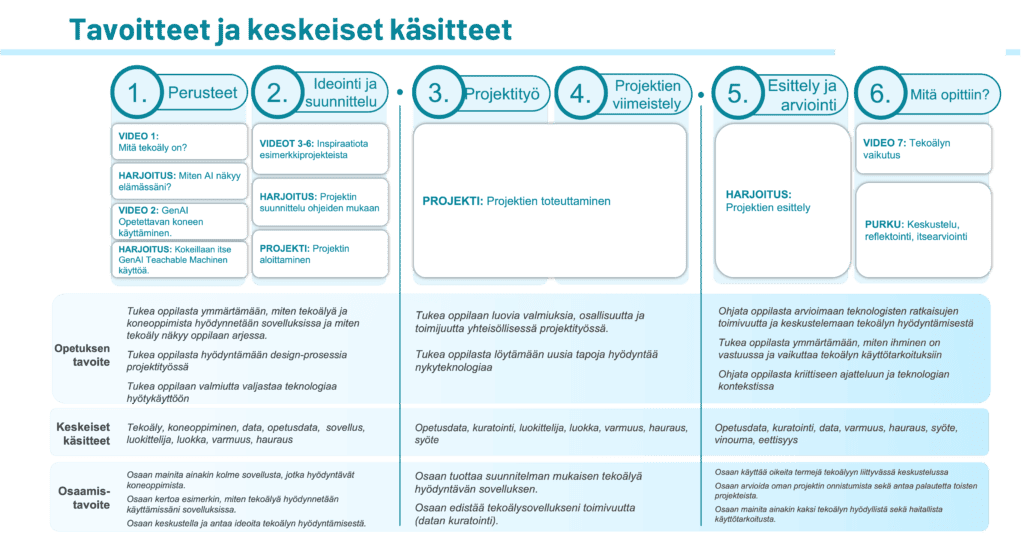
Click on the image to see it in more detail!

Lesson content and tasks

First lesson: the basics of AI!

  • Video: what is AI?
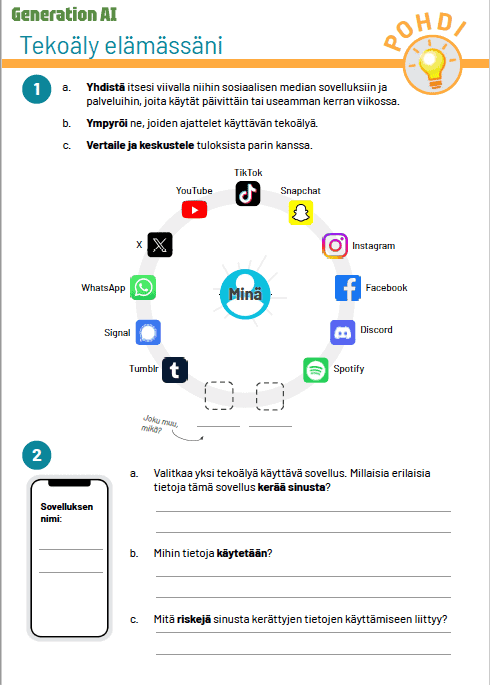
  • Exercise: how does AI play a role in my life? (exercise material and discussion)
  • Video: how to use the machine you are teaching?
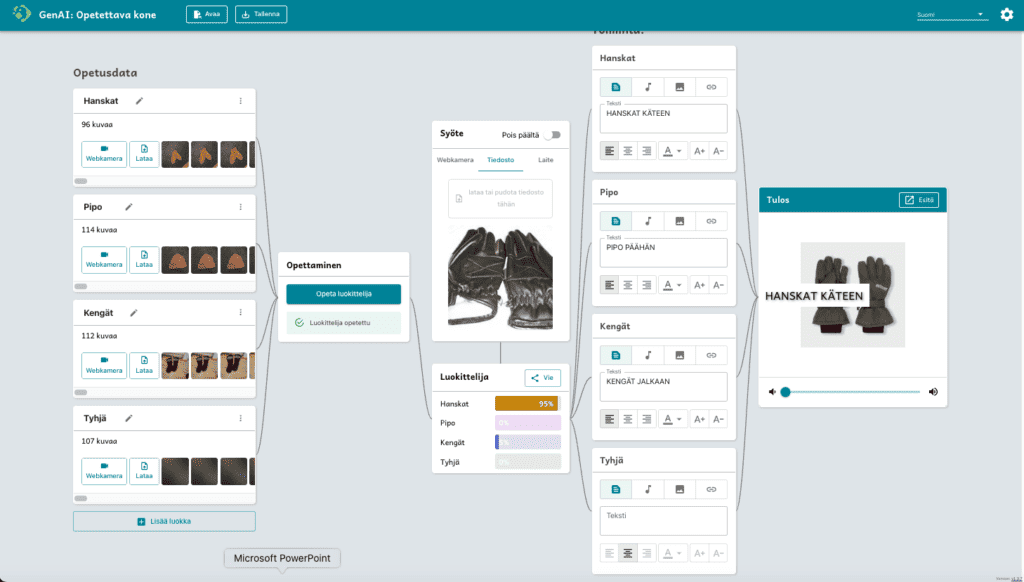
  • Exercise: practice using “GenAI Teachable Machine” artificial intelligence application

Lesson 2: Ideation and design of an AI classifier

  • Video x 4: See inspirations from example projects
  • Task: design your own classifier (task material)
  • Task: starting project work (same task material as above)

Lesson 3: Project work

  • Task: to continue the project work started the previous time
  • Paying particular attention to the testing and development of the classifier.

Lesson 4: Finishing projects

  • Task: finalising your own classifier application (continuation of previous task material)
  • Task: evaluate and design a presentation of your own classifier application (new task material)

Lesson 5: Presentation of projects

  • Task: present your classifier application to others

Lesson 6: What was learned?

  • Exercise: consider the impact of artificial intelligence (task material)
  • Video: the impact of artificial intelligence

Examples of learning materials:

  • Slide show cover
  • The first task of the AI in everyday life task sheet
  • Teachable machine “clothes into words”
  • The impact of artificial intelligence on lesson material
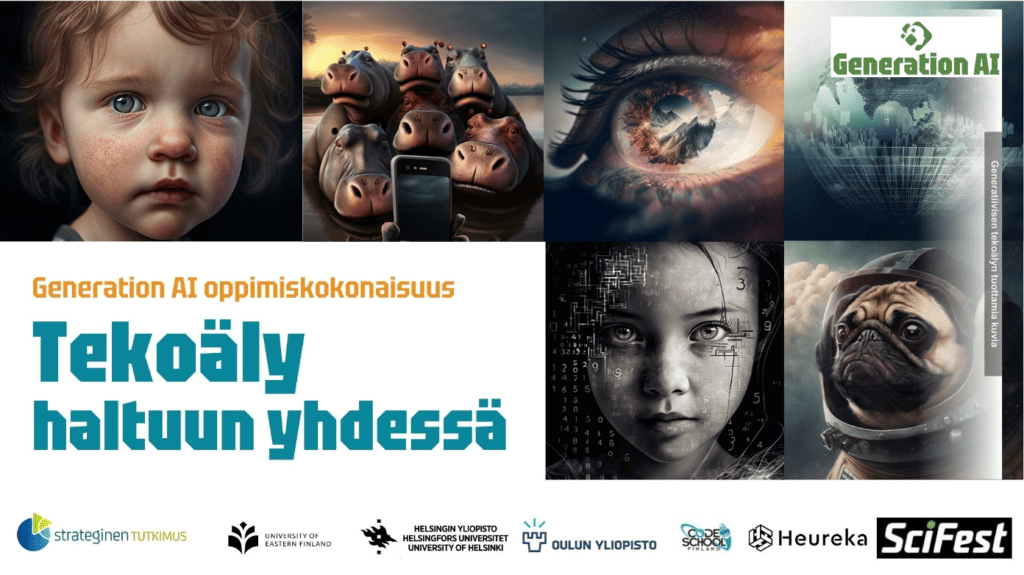
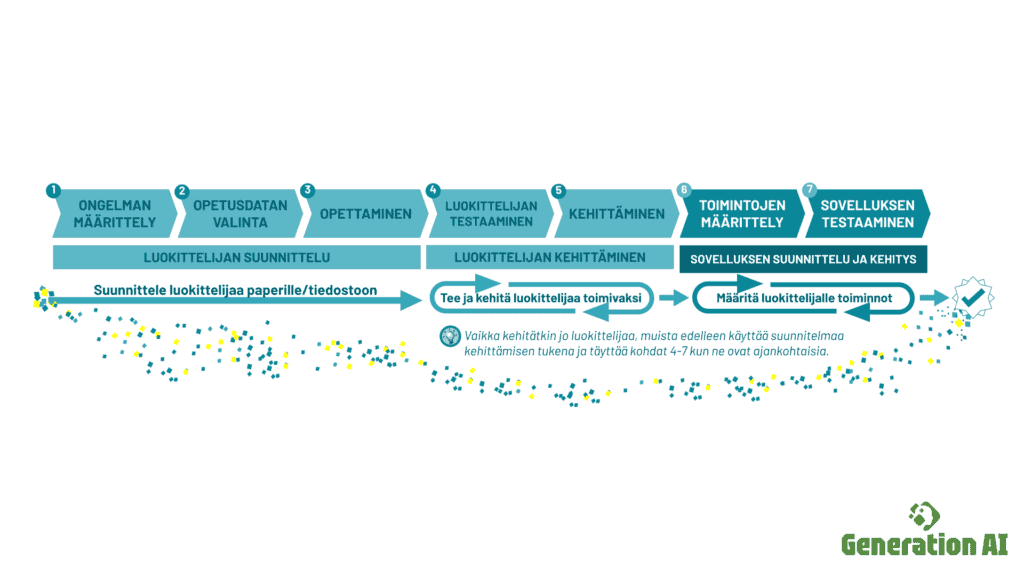
Steps in the design process of an AI classifier (click to enlarge)

Choose whether to use the presentation or the website as material

You can choose to use the presentation or the website as a teaching tool. You can also use both at the same time. The contents are mutually consistent, which is complemented by additional information on the website and e.g. example machines to be launched.

Option 2: This website as a resource (six-lesson path)

This website works well as a teaching tool. Videos, task sheets, instructions, etc. are centrally located here. In the menu on the left-hand side you will find the entities and their components (e.g. lessons and this introduction. On the right-hand side, you will find a page-by-page table of contents).

Exercise sheets and videos can be found on each page according to the theme.
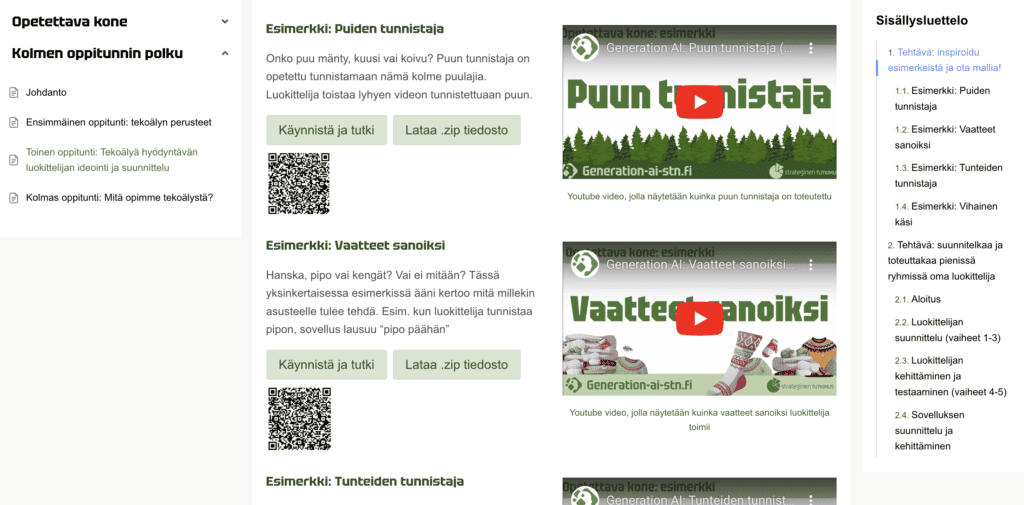
Screenshot of the web-based learning pathway for three lessons on “Mastering AI”. The six-lesson path is a similar implementation with several lessons.
Option: presentation as a package of materials (six-lesson path)

You can also use the presentation below as teaching material. Open the attached presentation, which contains everything you need to run three sessions.

Exercise sheets and videos can be found in the presentation for each lesson.

Updated on 12.2.2025

Mitä mieltä olet tästä sivusta?

  • Happy
  • Normal
  • Sad

Jaa tämä sivu

  • Facebook
  • X
  • LinkedIn
  • Pinterest
Lesson 6: What was learned?Lesson 4: Finishing projects

Powered by BetterDocs

  • Welcome to the Generation AI project website!
  • Current affairs
  • Materials
  • What we do?koe
  • Consortium

© 2026 Generation AI - WordPress Theme by Kadence WP

  • Saavutettavuusseloste
  • Tietosuojaseloste
Generation AI
Hallinnoi suostumusta
Parhaan kokemuksen tarjoamiseksi käytämme teknologioita, kuten evästeitä, tallentaaksemme ja/tai käyttääksemme laitetietoja. Näiden tekniikoiden hyväksyminen antaa meille mahdollisuuden käsitellä tietoja, kuten selauskäyttäytymistä tai yksilöllisiä tunnuksia tällä sivustolla. Suostumuksen jättäminen tai peruuttaminen voi vaikuttaa haitallisesti tiettyihin ominaisuuksiin ja toimintoihin.
Toiminnalliset Always active
Tekninen tallennus tai pääsy on ehdottoman välttämätön oikeutettua tarkoitusta varten, joka mahdollistaa tietyn tilaajan tai käyttäjän nimenomaisesti pyytämän palvelun käytön, tai yksinomaan viestinnän välittämiseksi sähköisen viestintäverkon kautta.
Asetukset
Tekninen tallennus tai pääsy on tarpeen laillisessa tarkoituksessa sellaisten asetusten tallentamiseen, joita tilaaja tai käyttäjä ei ole pyytänyt.
Tilastot
Tekninen tallennus tai pääsy, jota käytetään yksinomaan tilastollisiin tarkoituksiin. Tekninen tallennus tai pääsy, jota käytetään yksinomaan anonyymeihin tilastollisiin tarkoituksiin. Ilman haastetta, Internet-palveluntarjoajasi vapaaehtoista suostumusta tai kolmannen osapuolen lisätietueita pelkästään tähän tarkoitukseen tallennettuja tai haettuja tietoja ei yleensä voida käyttää tunnistamaan sinua.
Markkinointi
Teknistä tallennustilaa tai pääsyä tarvitaan käyttäjäprofiilien luomiseen mainosten lähettämistä varten tai käyttäjän seuraamiseksi verkkosivustolla tai useilla verkkosivustoilla vastaavia markkinointitarkoituksia varten.
  • Manage options
  • Manage services
  • Manage {vendor_count} vendors
  • Read more about these purposes
Näytä asetukset
  • {title}
  • {title}
  • {title}
Scroll to top
  • Suomi (Finnish)
  • Svenska (Swedish)
  • English